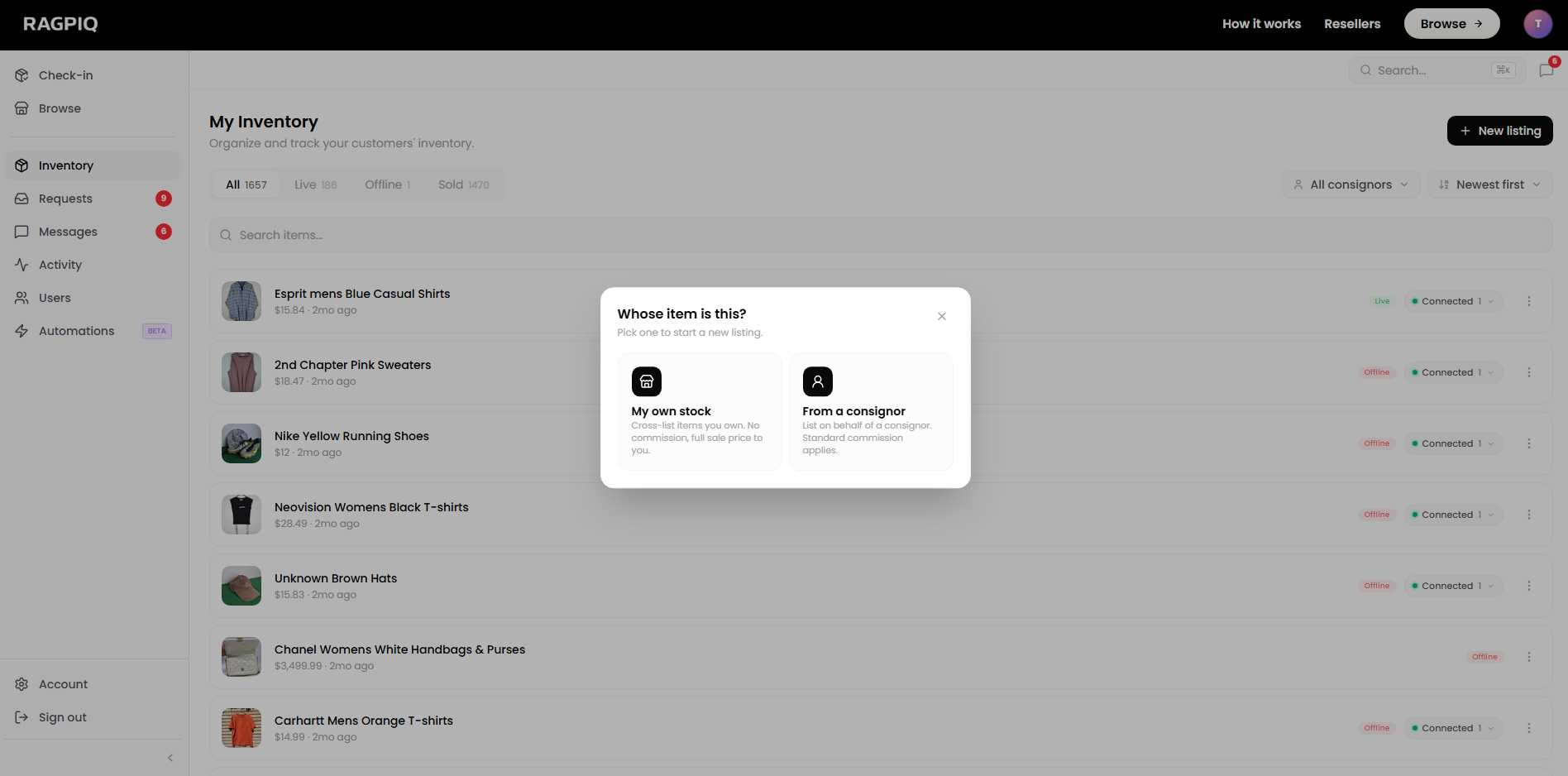
There are two listing flows on Ragpiq and the one you use depends on who owns the item:
- My own stock: items you bought outright. Full sale price comes to you, no commission split.
- From a consignor: items someone else owns and is paying you to sell. Commission split applies.
Both flows start the same way and fork at the first modal.
Open your Inventory
Click + New listing in the top-right to start.
My Own Stock
The fastest flow. Use it for any item you bought: estate sales, op shops, your own wardrobe, deadstock you sourced. No commission, no consignor lookup.
Steps
- Open your Inventory at /business/inventory.
- Click + New listing in the top-right.
- Pick "My own stock" in the ownership modal.
- Upload your photos. Use the in-app camera for HD shots in sequence (front, back, fabric label, defects), or drag-and-drop from your desktop.
- Wait for the AI lister. Ragpiq generates the title, description, category, condition, and a suggested price.
- Review and adjust. Tweak anything that looks off. The AI is a starting point, not a final answer.
- Submit. The listing lands in your inventory as a draft, ready to publish or cross-list.
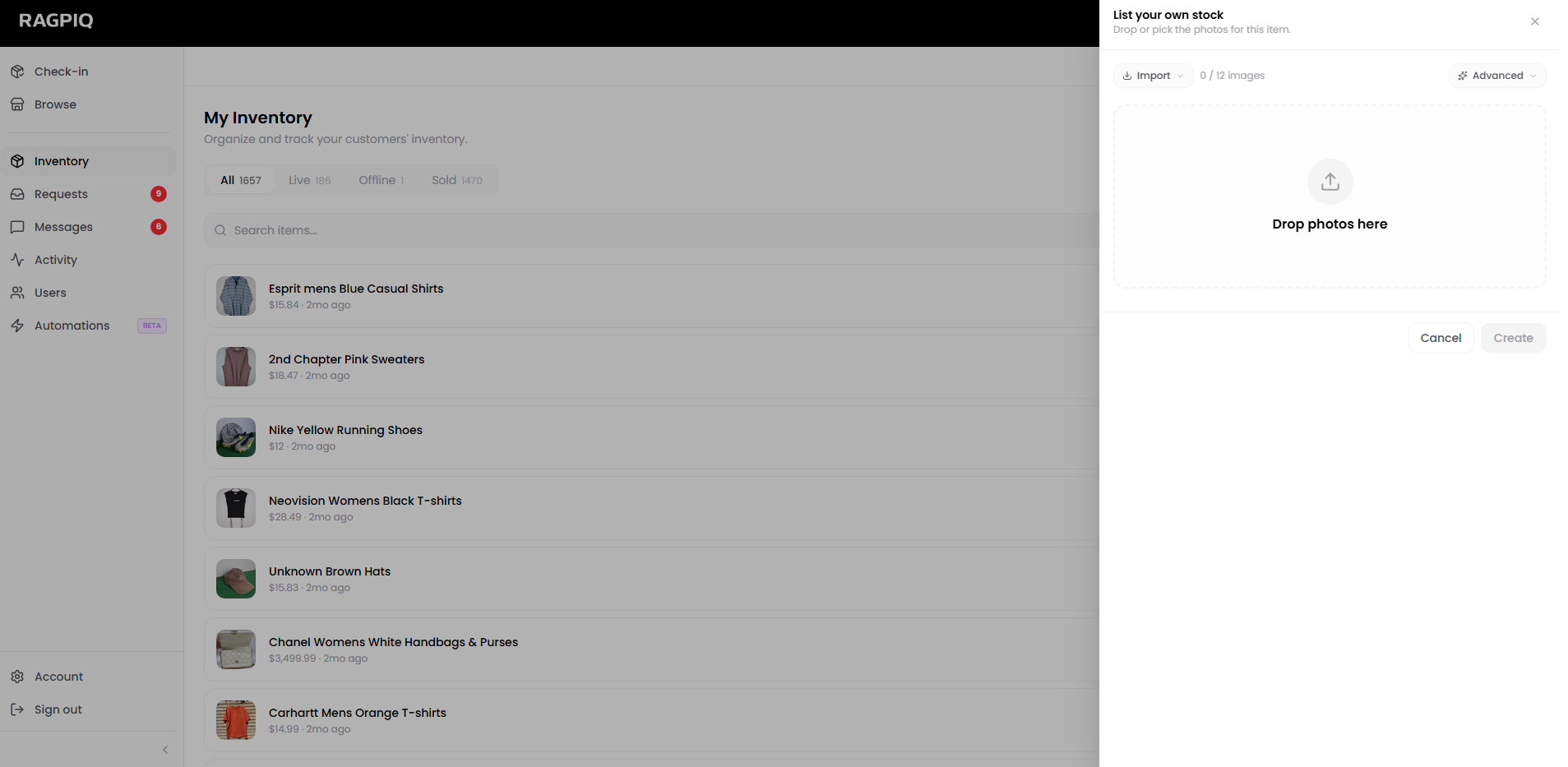
Photo tip
Three to five clean photos beats fifteen messy ones. The AI parses photo content for material, condition, and category, so sharper inputs mean fewer manual tweaks later.
From a Consignor
When the item belongs to a consignor, someone who signed a deal with you to sell on their behalf. This flow gathers everything Ragpiq needs to split the eventual payout correctly.
Steps
- Open your Inventory → + New listing → pick "From a consignor".
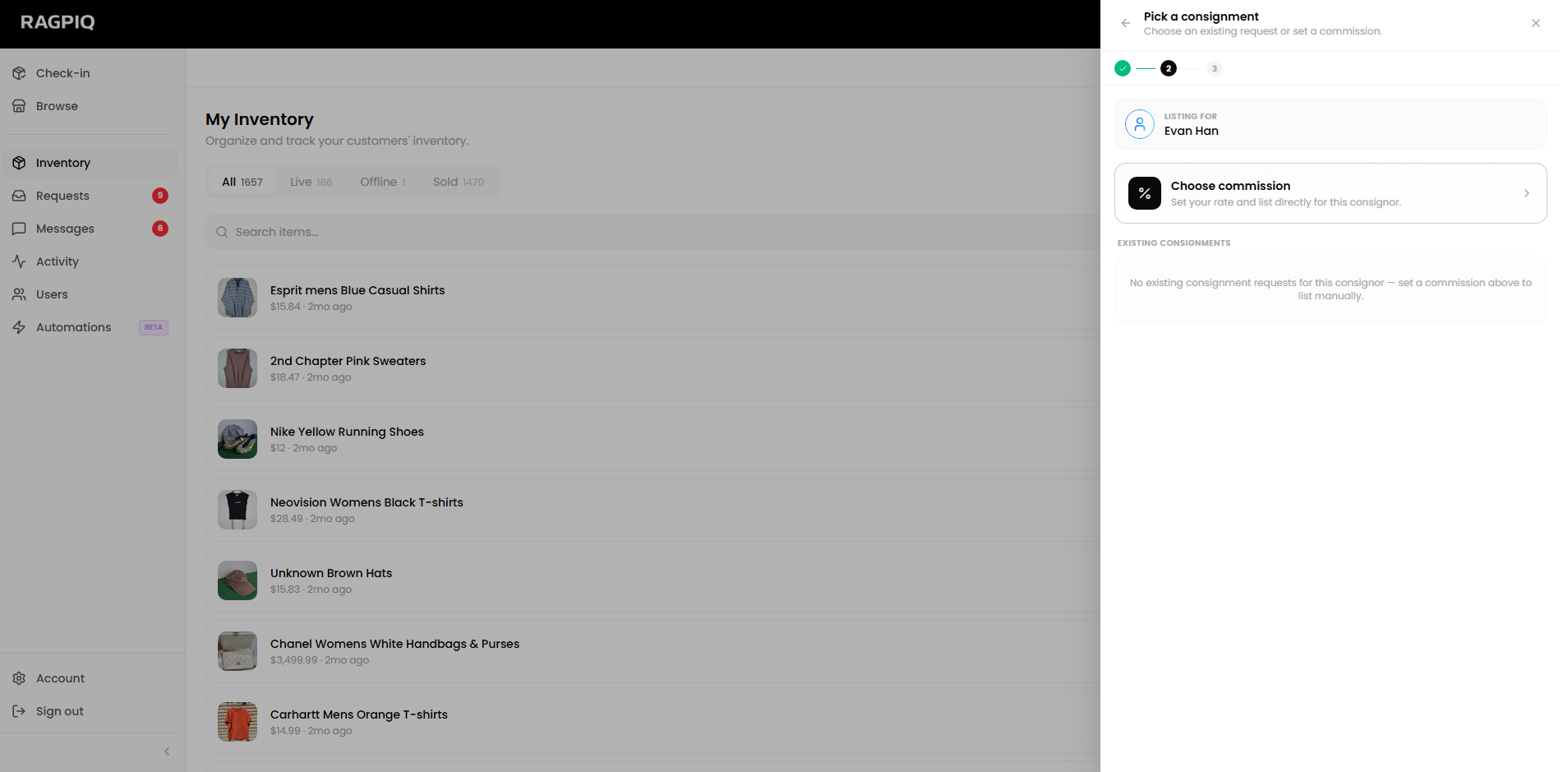
- Search for the consignor by name or email. Only users who've already signed up via Ragpiq appear in the picker.
- Pick a consignment or set a one-off commission rate:
- If the consignor already has an active request in your inbox, pick it. The request's images, brand, and notes pre-fill the listing.
- Otherwise, set a commission rate for this listing only. The reseller default applies on top of any commission rules on the consignor's profile.
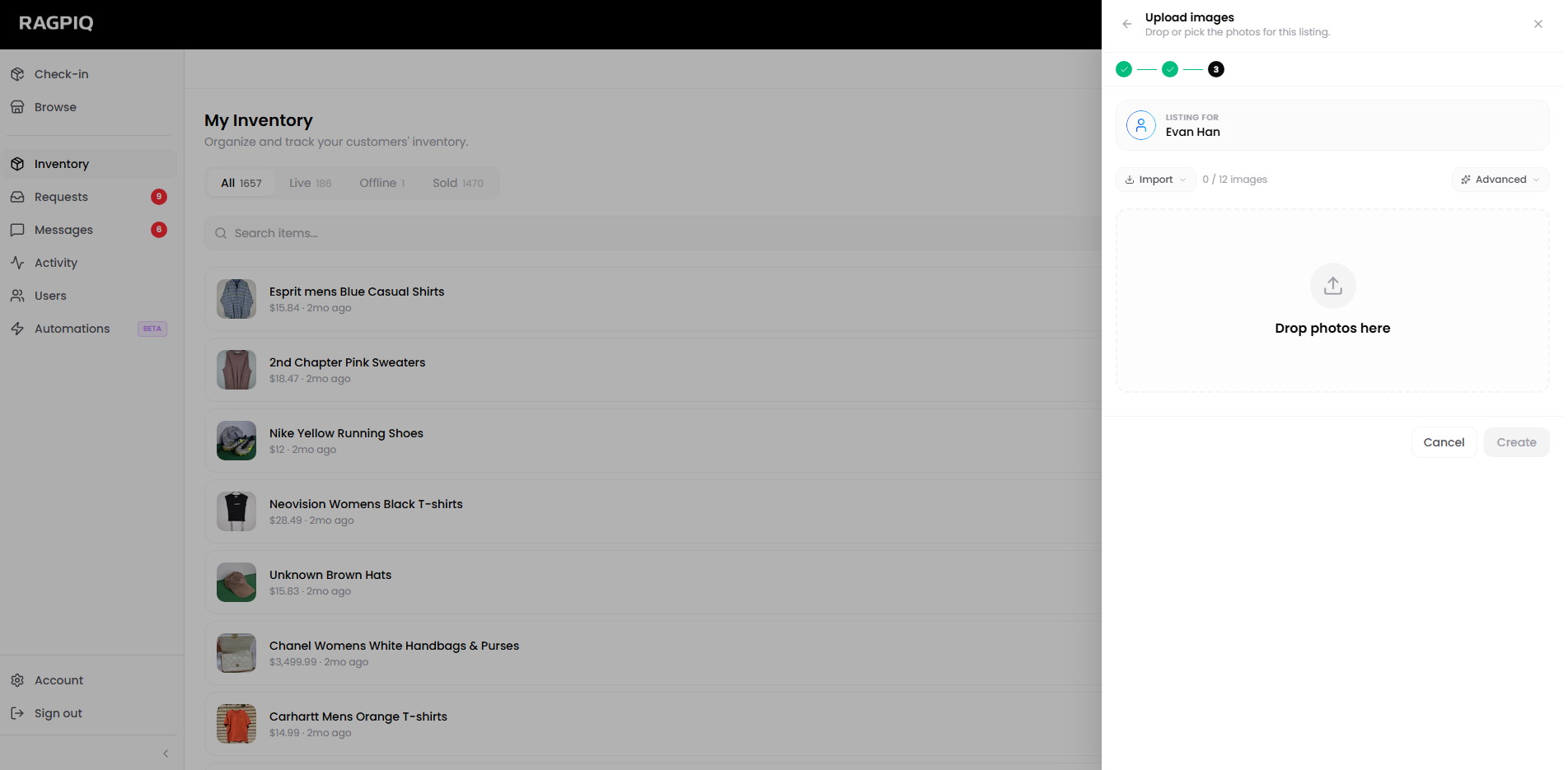
- Upload your photos (same step as the self flow).
- Review the AI-generated listing, adjust, and submit.
Don't see the consignor?
Only Ragpiq-registered users appear in the picker. If they haven't signed up yet, send them an invite from Users → Invite a consignor in the dashboard. Once they accept, they'll show up here.
Once Your Listing Is Live
- Cross-list to other marketplaces: push to eBay, Shopify, Depop, Facebook Marketplace from My Inventory.
- Bulk upload from desktop when you have a lot to list in one go.
- Import from Shopify if you already run a Shopify store.
- Background remove and composite backgrounds for cleaner product shots.
- Dynamic pricing to auto-adjust prices over time.