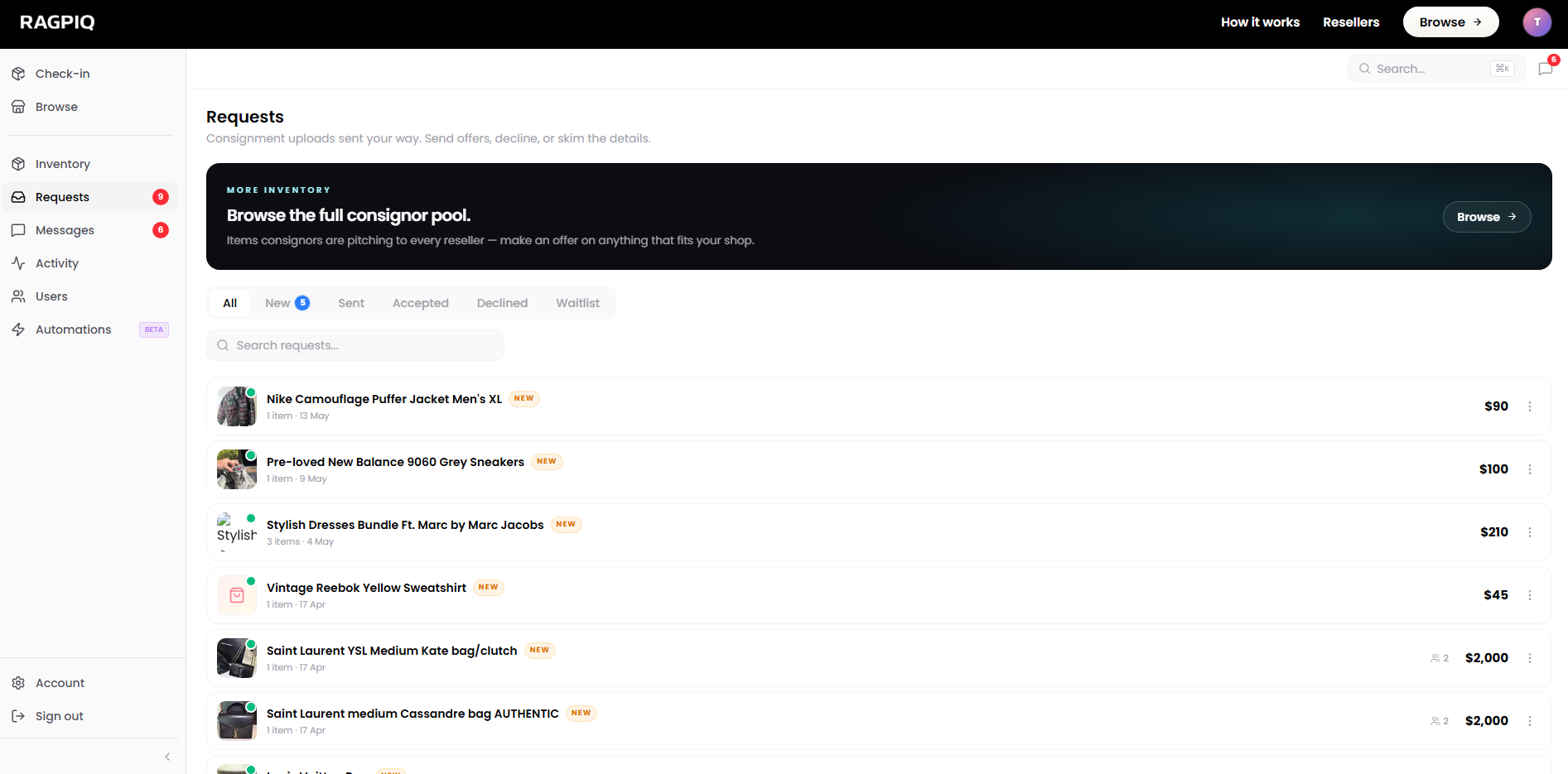
Consignments come to you: Ragpiq prices each lot and matches it to your shop based on your brain settings, location, and categories. Everything lands in your Requests Inbox.
Open your Requests inbox
Items matched specifically to your shop.
Tune your brain
Brands, price bands, styles and capacity. Matching follows these.
Sending an Offer
When you open a consignment, you'll see the images, brand, condition, location, and the delivery methods the consignor is willing to accept.
Single item vs. whole lot
Consignors post one of two ways and the offer flow adapts:
- Single item. You're offering on one specific piece. Your message and commission apply to just that listing.
- Whole lot. You're offering on the whole consignment bundle. Pickup or delivery happens once, commission applies across every item in the lot.
The lot vs. item distinction is shown on the consignment page itself; you don't pick, the consignor does when they post.
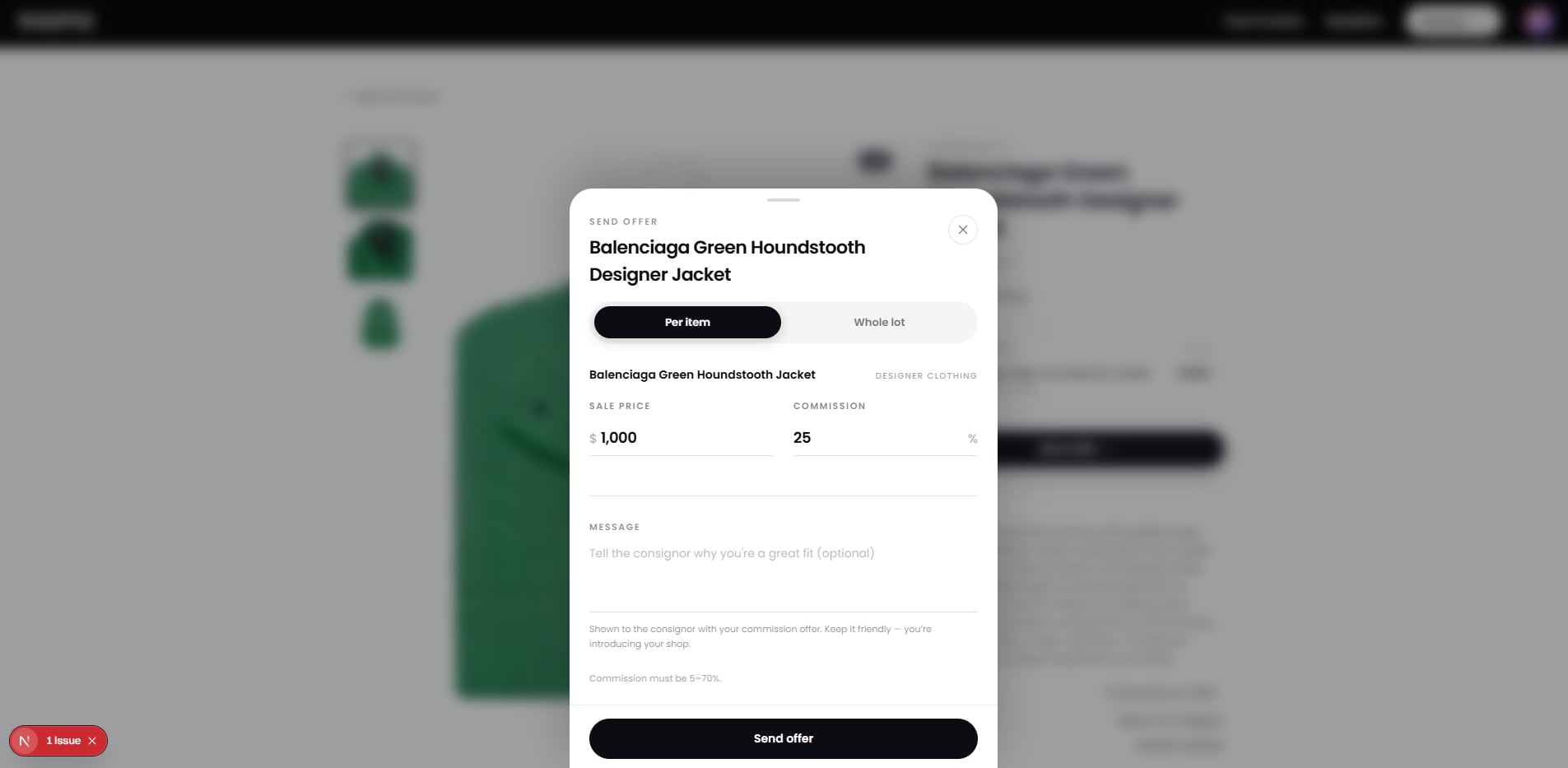
The offer form
- Pick the delivery methods you can fulfil from what the consignor accepts (drop-off, pick-up).
- Set your commission rate for this consignment. Your default applies unless you override.
- Add an optional message.
- Send.
Once Your Offer Is Accepted
- You receive the consignor's contact details, name, phone, and address if you chose pick-up.
- Coordinate the handover by the delivery method you picked.
- Mark the request as Delivered in your Uploads tab so the inventory pipeline stays accurate.
- List the item. Head to List Your First Item and pick From a consignor in the ownership modal. The accepted request will appear in the picker.
Suggested Next Steps
- List your first item: turn the consignment into a live listing once it's in your hands.
- Check-in a consignment at counter pickup: record the SKUs and condition before listing.
- Connect a marketplace so the listing publishes everywhere automatically.
For more on each piece of the offer flow, see Send Offer, Delivery Methods, and Commission Rates.